A pull request changes how the system selects an existing account by email. If two active accounts share that email, what should happen? An agent may have written both the change and its explanation, so the answer you approve has to come from the diff and the tests.
T3 Code’s review guides, a beta feature, split a pull request into stops, groups of related changes in reading order. A guide helps you find the lines that answer the question and decide where to spend your review time.
Turn on review guides
The T3 Code source control documentation,
at revision 9f24cac, describes the controls used here. The screenshots come
from one run on one pull request. The pull request author’s name, email and
avatar, and the source code in the diff, are blurred in them.
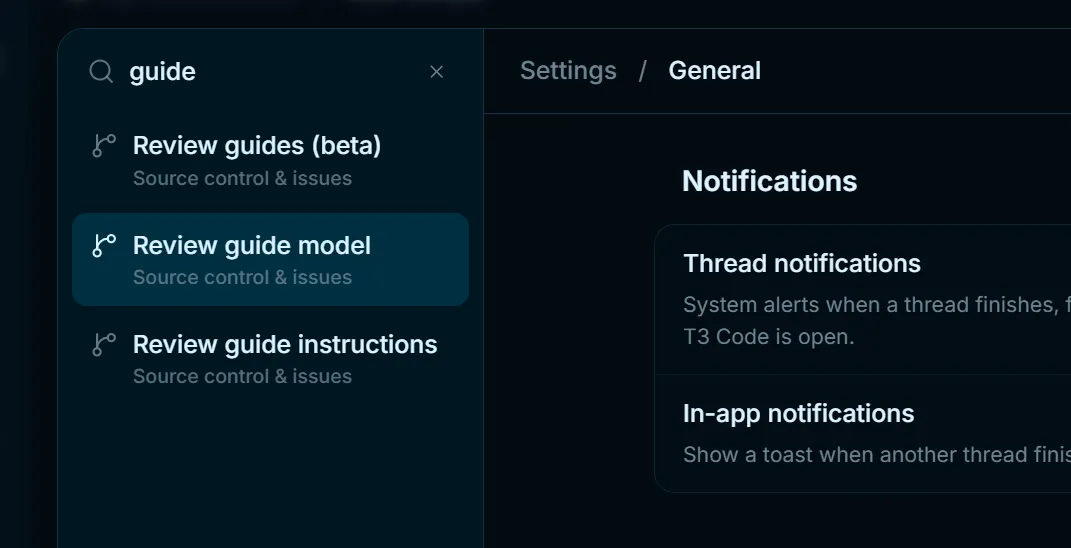
Open Settings and search for guide. The results are Review guides (beta),
Review guide model and Review guide instructions, all under
Source control & issues.
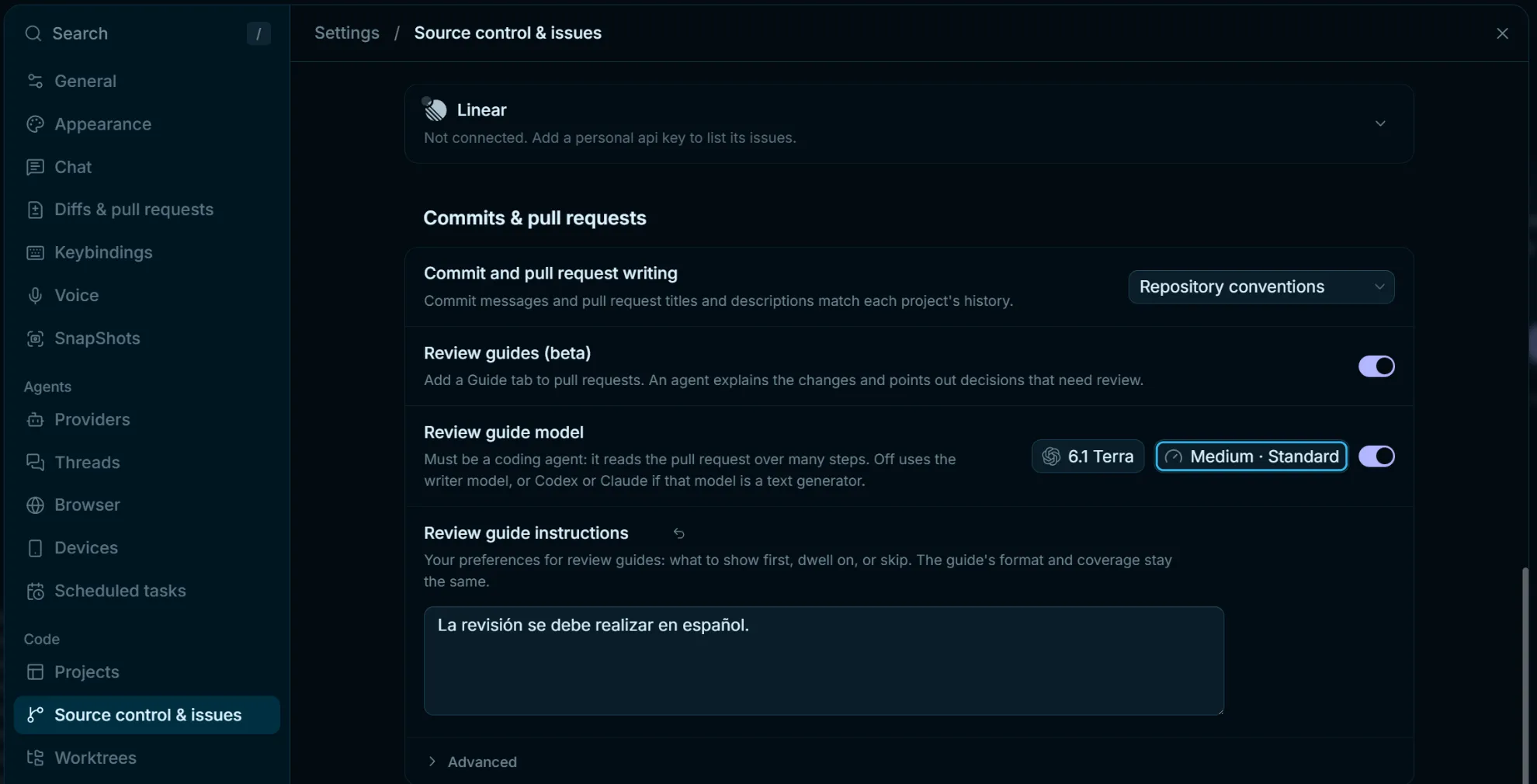
Go to Settings → Source control & issues → Commits & pull requests and turn on Review guides (beta). Pull requests on that server get a Guide tab.
Review guide model is optional. It selects the model that writes guides, which must be a coding agent because it reads the pull request over many steps. With its switch off, the setting’s description in the screenshot says T3 Code uses the writer model, or Codex or Claude if the writer model is a text generator.
Review guide instructions holds your preferences for what the guide shows first, dwells on or skips. This example uses one instruction:
La revisión se debe realizar en español.It asks for the review to be written in Spanish.
Documented control, observed result. The documentation says instructions change a guide’s emphasis and ordering and leave its layout and file coverage as they are. It makes no mention of language. In the run shown below, the guide’s text came back in Spanish and T3 Code’s interface labels stayed in English. Treat the Spanish output as the result of this run.
Write the guide and move between stops
Open the pull request in T3 Code, select Guide and choose Write guide. The guide model reads the change in a temporary checkout. A large pull request can take a few minutes.
According to the documentation, each stop points at the lines worth reading. A stop marked Look closely holds a decision only a maintainer can make.
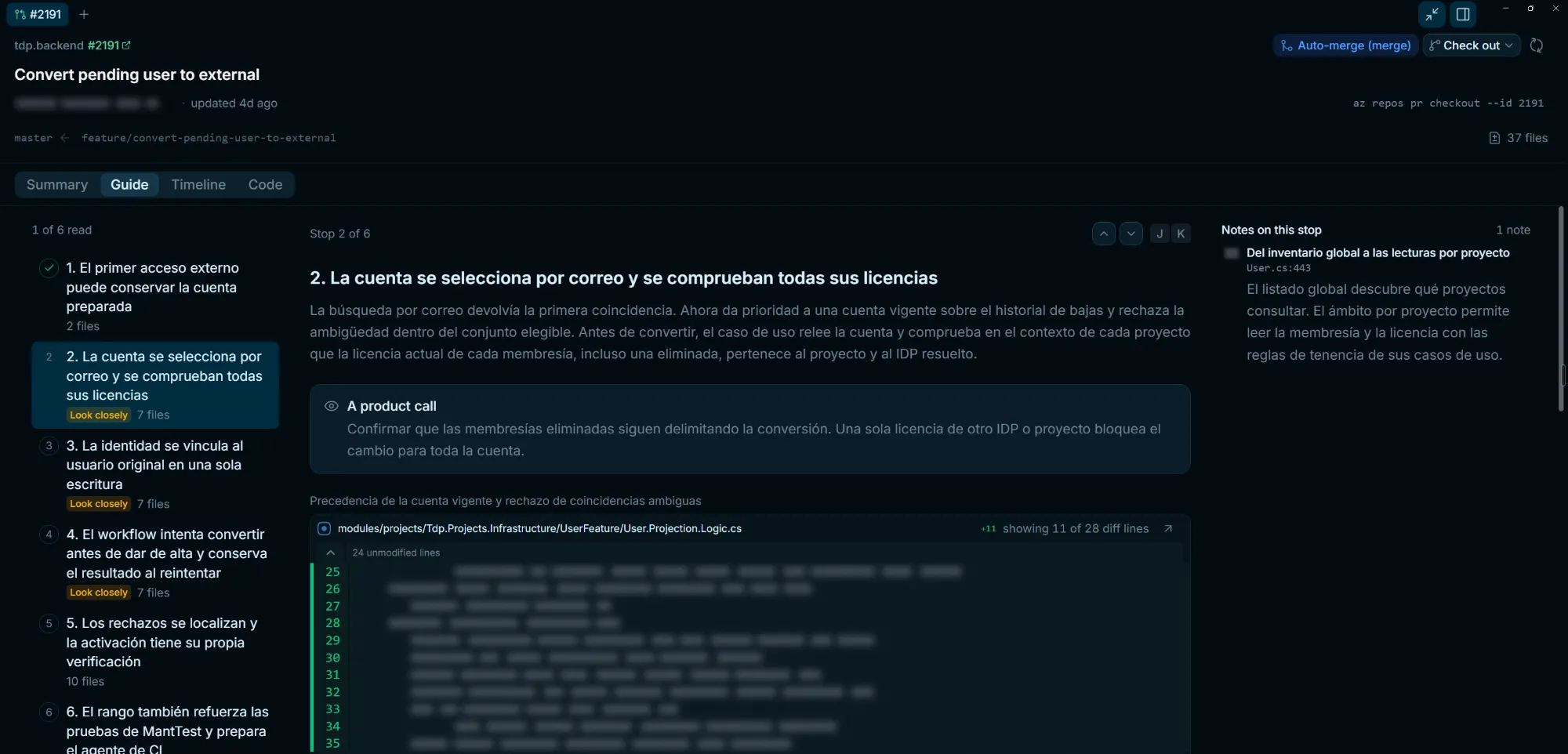
The screenshot shows the guide after it was written. The list on the left has six stops and a read count, 1 of 6 read. Select a stop in the list, or use the arrow controls above the stop to move to the previous or next one.
Stop 2 covers the email question. Its Spanish explanation says the email lookup used to return the first match. The change now prefers an active account over accounts with a removal history, and rejects ambiguity within the eligible set. Under the explanation, the guide shows a diff excerpt with its file path and line numbers. Its code is blurred in the screenshot. In this example, the excerpt contains the branch that rejects the request when more than one eligible account remains. Notes on this stop, on the right, holds one note about related code elsewhere in the pull request.
Stop 2 is also marked Look closely. Its A product call callout asks the reviewer to confirm that removed memberships still limit the conversion, since one license from another identity provider or project blocks the change for the whole account. The product owner has to confirm that rule. Keep it open next to the email question.
Ask about one stop
While stop 2 is open in Guide, choose Ask about this stop. T3 Code opens a thread that already knows which stop you are on. The documentation describes this control for the web client.
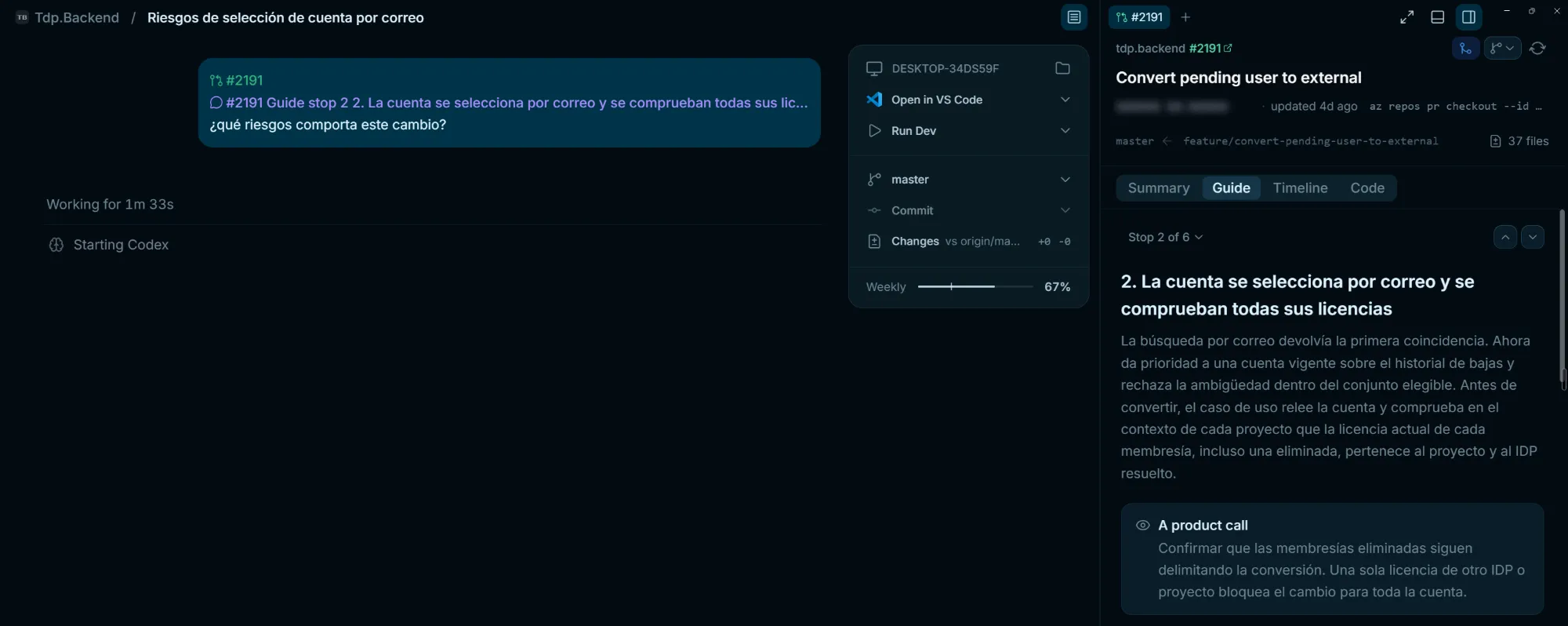
In the screenshot, the question ¿qué riesgos comporta este cambio? (“what
risks does this change carry?”) carries references to the pull request and to
stop 2. The guide stays open beside the thread. The agent is still working, and
the capture ends before its answer.
Ask for a result you can observe and the test that checks it:
¿Qué ocurre si hay dos cuentas vigentes con el mismo correo y qué prueba cubre ese caso?It asks what happens when two active accounts share an email, and which test covers that case. Ask the agent to quote the relevant diff lines and name the test, so you can open both and compare them with its explanation.
Return to the review decision
Go back to the opening question. In this example, the excerpt in stop 2 contains a branch that rejects the request when more than one eligible account matches. Before approving, check two more things yourself:
- In the diff, find how candidates are filtered before that branch runs, and whether accounts with a removal history can still count as eligible.
- In the tests, find one that creates two active accounts with the same email and expects the rejection.
Test coverage still needs this check after reading the guide and the thread. If you cannot find the test, or the filtering is unclear, ask the author in the review for a test with two active accounts that share an email. Decide whether to approve once that request is answered.